



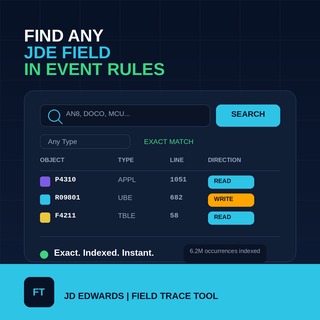
Finding out where a field is actually used inside JD Edwards Event Rules should not mean opening object after object and reading every line by hand. This JDE FieldTracer lets you search a JD Edwards EnterpriseOne Event Rules index by the one thing that actually matters first: the field alias.
Type an alias like AN8, DOCO, MCU or EV01, and the tool returns every object, section and event where that alias is used inside an Event Rule, together with the line number and whether the field is being read or written at that point. Use Object Type only to narrow the result set.
Search JDE FieldTracer
Search by exact field alias. Use Object Type, Object, Section and Event as optional filters to narrow the search itself, or the quick filter box to filter the results already on screen. Click any column header to sort the current page.
What JDE FieldTracer does
This tool searches a JD Edwards EnterpriseOne Event Rules index built from a real local export of APPL, UBE, TBLE, BSFN objects, covering more than 6.2 million indexed field occurrences. The search works on the exact field alias, because that is the question consultants and developers actually need answered: not "where is this object used", but "where, specifically, inside which form, section and event, is this field read or written".
The native JD Edwards Cross Reference Facility can tell you which objects reference a given field, but it stops at the object level. It does not tell you which Event Rule, which section, or which line. JDE FieldTracer fills that specific gap.
How to use it
- Type the exact alias you want to trace, for example AN8, DOCO, MCU or EV01. The match is exact: searching AN8 will not also return AN801 or similar aliases.
- Use Object Type as a filter when you only care about one object family, for example only APPL forms or only UBE reports.
- Use the Object, Section contains and Event contains fields to narrow the search itself before it runs, for example to a single object name like P4310, or to any section/event whose name contains a word you remember.
- Use the quick filter box above the results to filter the rows already loaded on the current page, without running a new search. This is useful once you already have a result set and just want to scan it for something specific.
- Click any column header (Object, Type, Section, Event, Line, Direction) to sort the current page by that column. Click the same header again to reverse the sort order.
- Read the Direction column to see whether the field is being read, written, or both at that specific occurrence.
- Use the Line column to jump straight to that line if you have the same object open in Object Management Workbench or in your own Event Rules export.
Further reading
What is a JDE field alias?
A field alias is the short technical name JD Edwards EnterpriseOne uses to identify a data item or a local variable inside Event Rules, for example AN8 for Address Number or DOCO for Order Number. The same alias can appear in thousands of different objects across the system.
Why does the search require an exact alias match?
Because field aliases are short, structured codes rather than free-form text. A partial or fuzzy match on a 3-4 character alias would return a large number of unrelated aliases that happen to share a few letters, which is not useful when the goal is tracing one specific field.
What do the Read, Write and Both directions mean?
READ means the alias is being used as a value at that line, WRITE means a value is being assigned to it, and BOTH applies to two-way interconnections in Data Structure mappings. The classification is based on the Event Rule syntax at that specific line, not on a full simulation of the program logic.
Does this replace the JDE Cross Reference Facility?
No. The Cross Reference Facility remains the official Oracle tool for object-level cross-referencing. JDE FieldTracer is a focused complement to it, built specifically for the section-level and event-level detail that the Cross Reference Facility does not show.
Is this an official Oracle JD Edwards tool?
No. This is an independently built search tool based on a local Event Rules export. It is intended as a practical lookup tool for JD Edwards consultants and developers who need to trace field usage quickly.
