Select your language


- Details
-
 By Vincenzo Caserta
 - Category: JD Edwards
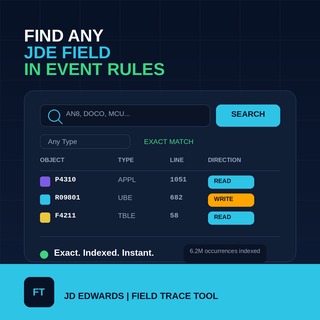
Finding out where a field is actually used inside JD Edwards Event Rules should not mean opening object after object and reading every line by hand. This JDE FieldTracer lets you search a JD Edwards EnterpriseOne Event Rules index by the one thing that actually matters first: the field alias.
Type an alias like AN8, DOCO, MCU or EV01, and the tool returns every object, section and event where that alias is used inside an Event Rule, together with the line number and whether the field is being read or written at that point. Use Object Type only to narrow the result set.
- Details
- By Vincenzo Caserta
- Category: JD Edwards
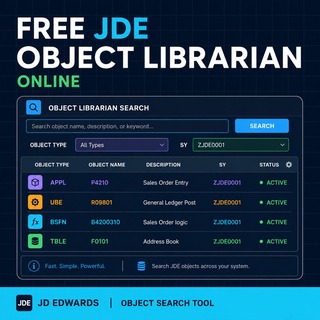
Looking for a JD Edwards object should not feel like digging through an old technical basement with the lights off. This Free JDE Object Librarian Online lets you search a large JD Edwards EnterpriseOne Object Librarian extract by the two fields that actually matter first: Object Name and Description.
Start with an object name like P4210, R09801, B4200310, or type a functional keyword such as sales order, invoice, ledger, address book or business unit. Then use Object Type and System Code only to narrow the result set.
- Details
- By Vincenzo Caserta
- Category: JD Edwards
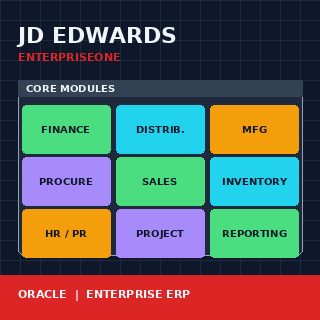
JD Edwards is a name that means slightly different things to different audiences. To a CFO at a manufacturing firm it is the ERP system the finance team has used for fifteen years. To a CIO weighing modernisation options it is one of the platforms competing for a transformation budget. To a developer with a CV in the ecosystem it is a specific stack of tools, languages and metadata layers built around a relational database. All three views describe the same product, and any conversation that flattens them into one risks the same misunderstanding the term has produced for decades. This article walks the product end to end as it stands today, who runs it, what it actually is technically, and what the realistic options around it look like in the current decade.
The product has survived three corporate owners, multiple architecture rewrites, and a generational shift in what enterprise software looks like. It is still actively developed by Oracle under the name JD Edwards EnterpriseOne, with a parallel legacy product called JD Edwards World still receiving support. The questions that matter — should we stay on it, should we modernise on it, should we replace it — depend on understanding which JD Edwards is in front of you and what its current trajectory actually is.
- Details
- By Vincenzo Caserta
- Category: Development
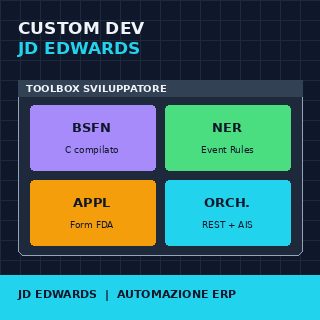
Custom development in JD Edwards — BSFN, NER, APPL, and ERP automation — is where most implementations determine either their long-term success or their technical debt for the next ten years. The platform offers four main tools for extending standard behavior, and every wrong choice about which tool to use for which use case creates consequences that only become visible when it is already too expensive to change direction: during an upgrade, during a retrofit, or during a Tools Release that changes the underlying behavior in undocumented ways.
This article lines up the four tools — Business Functions in C, Named Event Rules, FDA applications, and Orchestrator — describes what each one is actually suited for, and explains the decision patterns that work in production with real customers. None of the four tools is universally better than the others; each covers a specific problem space, and the discipline lies in recognizing that space before writing the first line of code.

- Details
- By Vincenzo Caserta
- Category: APPL Development
A blank grid in a custom P554211 or P550911 application usually triggers an immediate, wasteful scramble to regenerate serialized objects in Server Manager or rebuild packages. In our experience, the vast majority of developer hours are wasted on blind Event RuleA proprietary scripting language used in JD Edwards to add logic, calculations, and data validation to applications and reports. modifications when the root cause is actually a silent database mismatch or a misconfigured business viewA JD Edwards object that selects specific columns from one or more tables to be used by applications or reports. join. When executing JDE APPL troubleshooting for blank grids, wrong data, and missing records, you must bypass surface-level assumptions and look directly at how the HTML server (JASThe Java Application Server, which acts as the web interface allowing users to interact with JD Edwards via a browser.) translates Form Design Aid (FDA)The graphical development tool used in JD Edwards to create and modify interactive applications and screens. specs into SQLStructured Query Language, the standard language used to communicate with and retrieve data from databases.. A single misaligned join in a custom Business View (V554211A) or an unmapped Grid Buffer (GB)A temporary memory area used by the JD Edwards runtime engine to hold data before it is displayed in a grid. variable in the "Write Grid Line-Before" event will silently drop rows without throwing a single runtime error.

- Details
- By Vincenzo Caserta
- Category: APPL Development
In over two decades of troubleshooting custom JDEJD Edwards, an Enterprise Resource Planning (ERP) software suite by Oracle used for managing business processes. applications, I routinely see custom APPLA JD Edwards interactive application used by end-users to view or manipulate data through a graphical interface. Find/Browse or Header Detail forms that take four to eight seconds to render simply because developers cram synchronousA process where the system waits for a task to finish before moving to the next one, potentially causing delays. F0101 or F4101 Table I/OOperations used within JD Edwards to read, write, update, or delete data directly from database tables. fetches into the Dialog Is InitializedA JD Edwards form event that executes logic before the application window is displayed to the user. event. This design flaw bypasses the JDE engine's native database-to-grid mapping, forcing the HTML server to wait on serialized database roundtrips before rendering the first pixel.

- Details
- By Vincenzo Caserta
- Category: APPL Development
In our audits of custom JDE 9.2The version of JD Edwards EnterpriseOne ERP software used for business management. codebases, we routinely find that a significant portion of performance bottlenecks in custom interactive applications—often between 30% and 50%—stem from poorly implemented Form InterconnectsA method in JD Edwards to pass data and open one application form from another.. Developers often configure a JDE APPLA JD Edwards application object that contains the forms and logic for a specific business task. row exit to open a related standard application as a simple point-and-click mapping, but calling a heavy standard application like P4210The standard JD Edwards application used for Sales Order Entry. (Sales Order Entry) from a custom grid without isolating the transaction boundary can lead to orphaned database locks in F41021The Item Location database table that tracks inventory quantities by location. or F4211.
More Articles …
- JDE APPL Retrofit: How to Migrate a Copied Standard Application Safely
- JDE APPL Processing Options: How to Control Application Behavior Safely
- Solving the JDE APPL Performance Problem of Repeated Reads in Grid Loops
- JDE APPL Parent Child Form Example to Pass Context Correctly
- JDE APPL Object Comparison After ESU Practical Workflow
Page 1 of 18